COM Port issue
COM Port issue
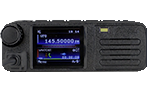
I can't get it to read from the radio. The port for the radio Radiodity DB25 is com6
You do not have the required permissions to view the files attached to this post.



Re: COM Port issue
What USB to Serial cable are you using? Prolific, FTDI etc?
If it detects the COM port exists it should be able to open it, even if no description is shown.
You could try manually changing the COM port from COM6 to something else.. 1,2,5 etc.. and see if that changes anything.
Do this from Device Manager, right click the com port, select properties > port settings tab > advanced then change the port number from the dropdown.
Unfortunately I cannot debug and reproduce the error in the source code as I don't have a PC to run Visual Studio without lagging, crashing. My main PC died at the end of last year so until I have some spare funds to replace it, I can't to any debugging or implement any bug fixes or updates.
If it detects the COM port exists it should be able to open it, even if no description is shown.
You could try manually changing the COM port from COM6 to something else.. 1,2,5 etc.. and see if that changes anything.
Do this from Device Manager, right click the com port, select properties > port settings tab > advanced then change the port number from the dropdown.
Unfortunately I cannot debug and reproduce the error in the source code as I don't have a PC to run Visual Studio without lagging, crashing. My main PC died at the end of last year so until I have some spare funds to replace it, I can't to any debugging or implement any bug fixes or updates.
You do not have the required permissions to view the files attached to this post.
-73 de MM7DBT
Re: COM Port issue
it might be a windows issue
You do not have the required permissions to view the files attached to this post.
Re: COM Port issue
I found this and rolled back the driver and got past that error only to have a new one.
I have rebooted and unplugged cable.......
https://www.youtube.com/watch?v=r43rOga ... s[img][img][/img][/img]
You do not have the required permissions to view the files attached to this post.
Re: COM Port issue
Rolling back the driver I was able to get Chirp to work so I programmed the radio with that.
Re: COM Port issue
CHIRP ?
Have they added DMR support?
Or perhaps as I suspect.. you have the DB25-G, DB25 Pro or some other variation of the analog model?
This software only works with the DB25-D DMR Model.
Have they added DMR support?
Or perhaps as I suspect.. you have the DB25-G, DB25 Pro or some other variation of the analog model?
This software only works with the DB25-D DMR Model.
-73 de MM7DBT