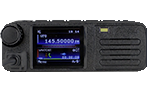
Hi there, I got yesterday the Radioddity DB40D DMR/FM radio, using this software I could program all the local DMR and FM repeaters and radio works fine BUT I have found that after upload the BM data base of more than 296K IDs at the top left corner, it shows call sign, full name,city and country TOO SMALL and I can't see it unless I use a big magnifier in front of the display, my question to the group is IF there is any way to increase the size of that information data to be able to see it ?
Thanks
Hector
AD4C
Display font



Re: Display font
Unfortunately as the radio is capable of receiving from both VFO at the same time, the DMR Database display is limited to that VFO display... Which does make it VERY small 
I believe if you turn off the second VFO (Single Display Mode) then the data does display full screen.. although it's not much easier to see to be honest
Menu > Local Set > DisplayMode > Single Mode
(may be worded slightly different on the DB40 vs DB25 or GD88)
I believe if you turn off the second VFO (Single Display Mode) then the data does display full screen.. although it's not much easier to see to be honest
Menu > Local Set > DisplayMode > Single Mode
(may be worded slightly different on the DB40 vs DB25 or GD88)
-73 de MM7DBT
Re: Display font
Hi everybody, I followed your valuable advice and entering the menu using thr front panel keys of my DB40D I could remove the second VFO that they call DUAL WATCH, something I can't do with any of the panel keys neither the microphone keys even programming that function with this editor,it simply don't work but now trough the menu yes it removed the second VFO and I can see bigger the data coming from the BM network, its not at the whole display as you thought but its bigger and easier to red. Thanks for your help Dave Bell.MM7DBT wrote: ↑Fri Jan 23, 2026 11:57 pm Unfortunately as the radio is capable of receiving from both VFO at the same time, the DMR Database display is limited to that VFO display... Which does make it VERY small
I believe if you turn off the second VFO (Single Display Mode) then the data does display full screen.. although it's not much easier to see to be honest
Menu > Local Set > DisplayMode > Single Mode
(may be worded slightly different on the DB40 vs DB25 or GD88)
Re: Display font
Yeah there a few functions the can only be accessed or switched on/off using the radio menu.
It's been a while since I used my DB40 (much easier to do testing with the GD88 as it's battery powered.. no need for a PSU then) so couldn't remember the exact steps.. but at least it is a little better for you
It's been a while since I used my DB40 (much easier to do testing with the GD88 as it's battery powered.. no need for a PSU then
) so couldn't remember the exact steps.. but at least it is a little better for you -73 de MM7DBT