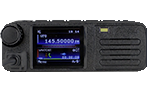
I've downloaded the correct version for my intel Mac. Aside from the permission issues, every time I try and open and use the codeplug, it keeps opening in text editor on my Mac. Any idea on what I'm doing wrong?
Thanks in Advance
Codeplug Editor Install issues on Intel Mac



Re: Codeplug Editor Install issues on Intel Mac
Hi,
You would have to make the file executable. Not sure if there's a way to do it with file permissions etc on Mac.
However you could use chmod to make it executable.
Open terminal from within the same folder as CPEditor then run command.
'chmod +x CPEditor'
You may have to chmod the updater as well otherwise it may not run when updates are available.
Unfortunately I don't actually have a MacOS device so I can't create installers, packages etc.
I could include a shell script to launch CPEditor correctly but that would have the same issues as the shell script would also need to be given executable permissions.
Thanks,
David
You would have to make the file executable. Not sure if there's a way to do it with file permissions etc on Mac.
However you could use chmod to make it executable.
Open terminal from within the same folder as CPEditor then run command.
'chmod +x CPEditor'
You may have to chmod the updater as well otherwise it may not run when updates are available.
Unfortunately I don't actually have a MacOS device so I can't create installers, packages etc.
I could include a shell script to launch CPEditor correctly but that would have the same issues as the shell script would also need to be given executable permissions.
Thanks,
David
-73 de MM7DBT
Re: Codeplug Editor Install issues on Intel Mac
The codeplug files themselves are just JSON files so they won't open CPEditor automatically.
-73 de MM7DBT
Re: Codeplug Editor Install issues on Intel Mac
This is a .Net application so not the easiest to get running. Here is what has worked for me (on an ARM Mac, but Intel is probably similar):
download and unzip the file
Now force a code sign on the files:
Make the CPE files executable:
Now if you run CPEditor with ./CPEditor it should tell you what .Net to download and install, in my case:
https://aka.ms/dotnet-core-applaunch?mi ... ion=8.0.22
Now re-sign and disabled other security features due to unsigned code:
Now the editor should run with ./CPEditor.
Note I've only run the program; I haven't connected it to my radio yet as it's out in the truck.
download and unzip the file
Now force a code sign on the files:
Code: Select all
codesign --force --deep --sign - CPEditor
codesign --force --deep --sign - CPEUpdater
codesign --force --sign - libAvaloniaNative.dylib
codesign --force --sign - libSkiaSharp.dylib
codesign --force --sign - libHarfBuzzSharp.dylibCode: Select all
chmod a+x CPEditor
chmod a+x CPEUpdaterhttps://aka.ms/dotnet-core-applaunch?mi ... ion=8.0.22
Now re-sign and disabled other security features due to unsigned code:
Code: Select all
xattr -dr com.apple.quarantine libSkiaSharp.dylib
xattr -dr com.apple.quarantine libAvaloniaNative.dylib
xattr -dr com.apple.quarantine libHarfBuzzSharp.dylib
xattr -dr com.apple.quarantine CPEditor
xattr -dr com.apple.quarantine CPEUpdater
codesign --force --deep --sign - CPEditor
codesign --force --sign - libSkiaSharp.dylibNote I've only run the program; I haven't connected it to my radio yet as it's out in the truck.
Re: Codeplug Editor Install issues on Intel Mac
I should also mention I have various Mac development tools installed. I don't know if xattr and codesign are installed by default, but I think MacOS prompts you to download XCode if you try to run XCode commands that aren't isntalled.
Re: Codeplug Editor Install issues on Intel Mac
I run it during initial builds just to see if it would actually run..
Although I was using a VPS/VM running a clean Sequoia install.
All I had to do was install .NET8 Runtime and make the files executable.
Everything seemed to run fine. Of course I couldn't connect to a radio as it's running on a remote VPS, at least not without getting into some convoluted USB over IP setup between Windows and Mac..
Which would probably create more problems than it's worth with latency and radio timeouts etc
Although I was using a VPS/VM running a clean Sequoia install.
All I had to do was install .NET8 Runtime and make the files executable.
Everything seemed to run fine. Of course I couldn't connect to a radio as it's running on a remote VPS, at least not without getting into some convoluted USB over IP setup between Windows and Mac..
Which would probably create more problems than it's worth with latency and radio timeouts etc

-73 de MM7DBT
Re: Codeplug Editor Install issues on Intel Mac
I have built a shell script that will package the files correctly and add an icon, so people should be able to allow the code to run once via the Settings -> Security and Privacy. If you contact me via my email (I'm assuming the administrator can see that info) I will happily send it to you. This forum will not let me attach the script or the terrible icon I created.
Re: Codeplug Editor Install issues on Intel Mac
First, thank you VERY much to MM7DBT for releasing a macOS version of CPEditor. It's nice to finally have a Mac native program to work with my GD-88.
Thanks to K7AEG for providing the necessary code signing and de-quarantine commands. I can confirm CPEditor works as expected after following K7AEG's procedure.
For those who use Homebrew on their Macs, "brew install dotnet@8" will get you the necessary .NET SDK. Be sure to set DOTNET_ROOT as directed.
I could not get CPEUpdater to work:
Unhandled exception. System.IndexOutOfRangeException: Index was outside the bounds of the array.
at Program.Main(String[] args)
at Program.<Main>(String[] args)
But that's OK. CPEditor works great, and I'm one step closer to getting rid of the Windows VM on my MacBook.
Tnx & vy 73
--mark N3MSC (ex KQ4MII)
Thanks to K7AEG for providing the necessary code signing and de-quarantine commands. I can confirm CPEditor works as expected after following K7AEG's procedure.
For those who use Homebrew on their Macs, "brew install dotnet@8" will get you the necessary .NET SDK. Be sure to set DOTNET_ROOT as directed.
I could not get CPEUpdater to work:
Unhandled exception. System.IndexOutOfRangeException: Index was outside the bounds of the array.
at Program.Main(String[] args)
at Program.<Main>(String[] args)
But that's OK. CPEditor works great, and I'm one step closer to getting rid of the Windows VM on my MacBook.
Tnx & vy 73
--mark N3MSC (ex KQ4MII)
Re: Codeplug Editor Install issues on Intel Mac
Thanks so much, I sent a PM with my email infoK7AEG wrote: ↑Thu Nov 27, 2025 6:04 pm I have built a shell script that will package the files correctly and add an icon, so people should be able to allow the code to run once via the Settings -> Security and Privacy. If you contact me via my email (I'm assuming the administrator can see that info) I will happily send it to you. This forum will not let me attach the script or the terrible icon I created.
Re: Codeplug Editor Install issues on Intel Mac
The updater is not really for manual use as it expects arguments to be set when launched from the main app whenever there is an update.
Hence the unhandled expectation for the args string array.
Since we can't replace an executable if it's running. So it runs a separate app to fetch the updated version, replaces the old one and launches it.
The old method had the updater executable packaged inside the main exe.. which was extracted and run.
Which would still work on windows and likely Linux.. but I have zero knowledge of MacOS on how it would accept an unknown, unsigned exe extracting and running an exe, which itself downloads an exe and then runs it.. may look a little suspicious

Glad to see that it works for the most part, as I have no real way of testing all the functions through a remote VPS.
-73 de MM7DBT